The loudest AI headlines this autumn are about reasoning models and video. The change that matters most for anyone selling online is quieter: the gap between a small product image and a sharp, zoomable one has nearly disappeared.
Three things that landed in the last two weeks make the point.
What happened this week
FLUX 3 Image is finally usable. Black Forest Labs announced FLUX 3 on 23 July — one model family for images, video with audio, and even robotics — but the image model was only promised "in the coming weeks." This week it went live for developers on fal, with native 2K and 4K output, every common aspect ratio (including the 4:5 Instagram shape most models skip).
ByteDance made "fast" mean "2K". Seedream 5.0 Flash is the speed tier of ByteDance's image family, and its presets go up to 2K, with up to ten reference images per run at no extra charge. It reached ComfyUI's partner nodes on 24 September. Fast used to mean small. Not any more.
Imagen 4 was retired. Google's Imagen 4 endpoints are now marked deprecated on fal, the platform most AI apps (ours included) use to run image models, and calls to them simply fail. If a tool you use still lists "Imagen 4", it's worth checking it still works.
We tested the new crop side by side
Before replacing Imagen 4 on Oranokai, we gave five of the newest models the exact same product-ad prompt, including a short word that had to appear on the label. Every one of them spelled it correctly — two years ago that alone would have been a headline.
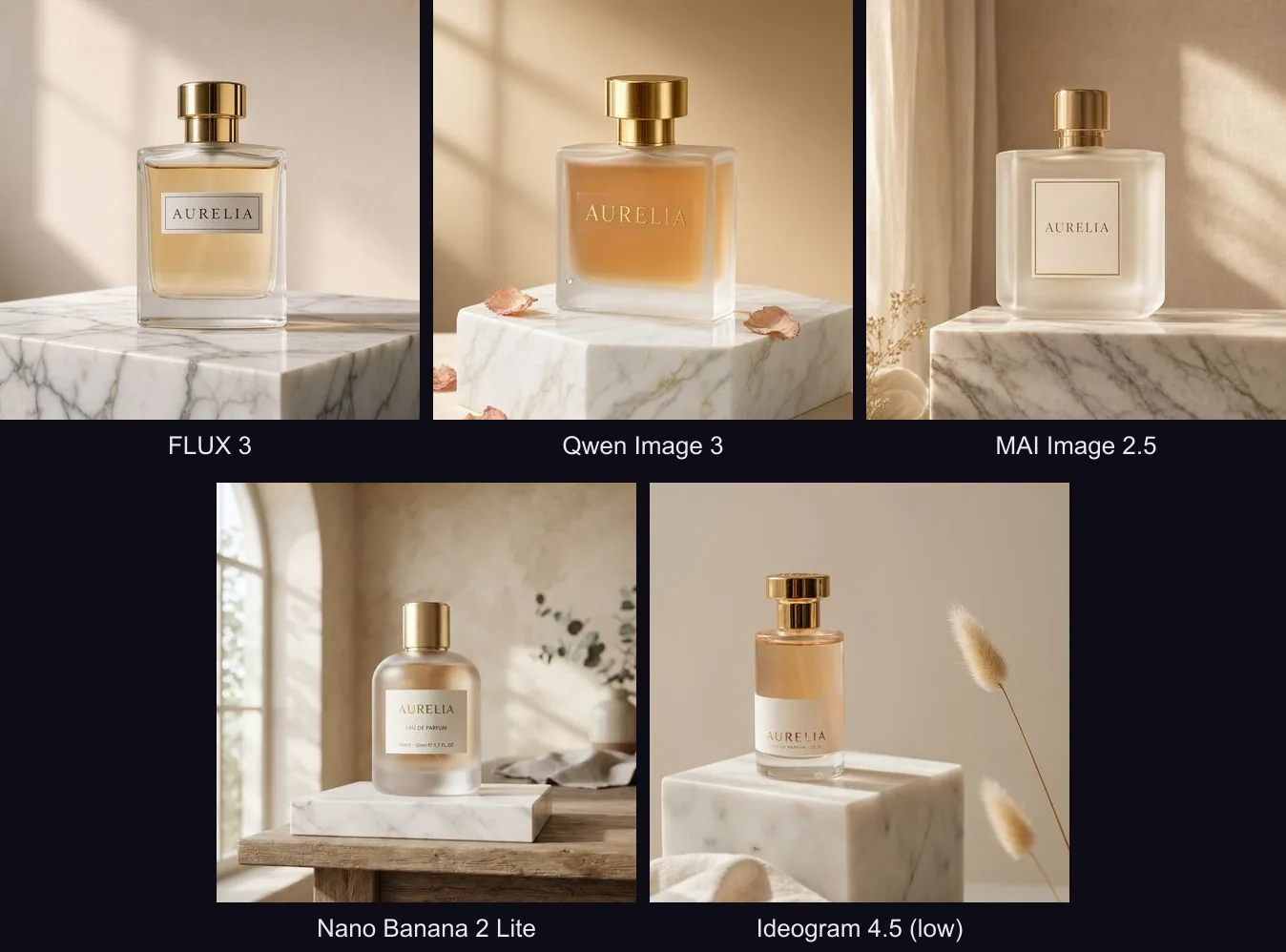
They differ in mood more than in competence: FLUX 3 is the crispest, Qwen Image 3 the warmest, MAI Image 2.5 (Microsoft's photoreal model) the most restrained and catalogue-like. We chose MAI Image 2.5 as Imagen 4's replacement on Oranokai, because its clean, minimal look suits product listings.
Why resolution matters more than the leaderboard
As we wrote last month, the "best" model changes almost weekly. Resolution doesn't. A buyer who zooms into your listing on a phone sees the difference between a 1K and a 2K image immediately — in fabric weave, label text, the edge of a bottle cap. Marketplaces reward zoomable images, and you only generate the image once.
A separate 1K option only asks buyers to choose between two sizes, so we dropped it.
What we changed on Oranokai
Every Automatic image is now 2K. On the Automatic generator the old "1K / 2K" choice is gone. Every image comes out at 2K in your chosen shape, and you pick quality instead:
- Everyday quality — 10 credits. Great for social posts and listings.
- More detail — 25 credits. Finer texture and small text, for paid plans.
Your chosen shape is now enforced, not suggested. Image models like to pick their own framing. We now send exact sizes and check every result before saving it, so a Story is always 9:16 and an Instagram post is always 4:5. In our tests, the model returned exactly the requested size for every shape, with and without a reference photo.
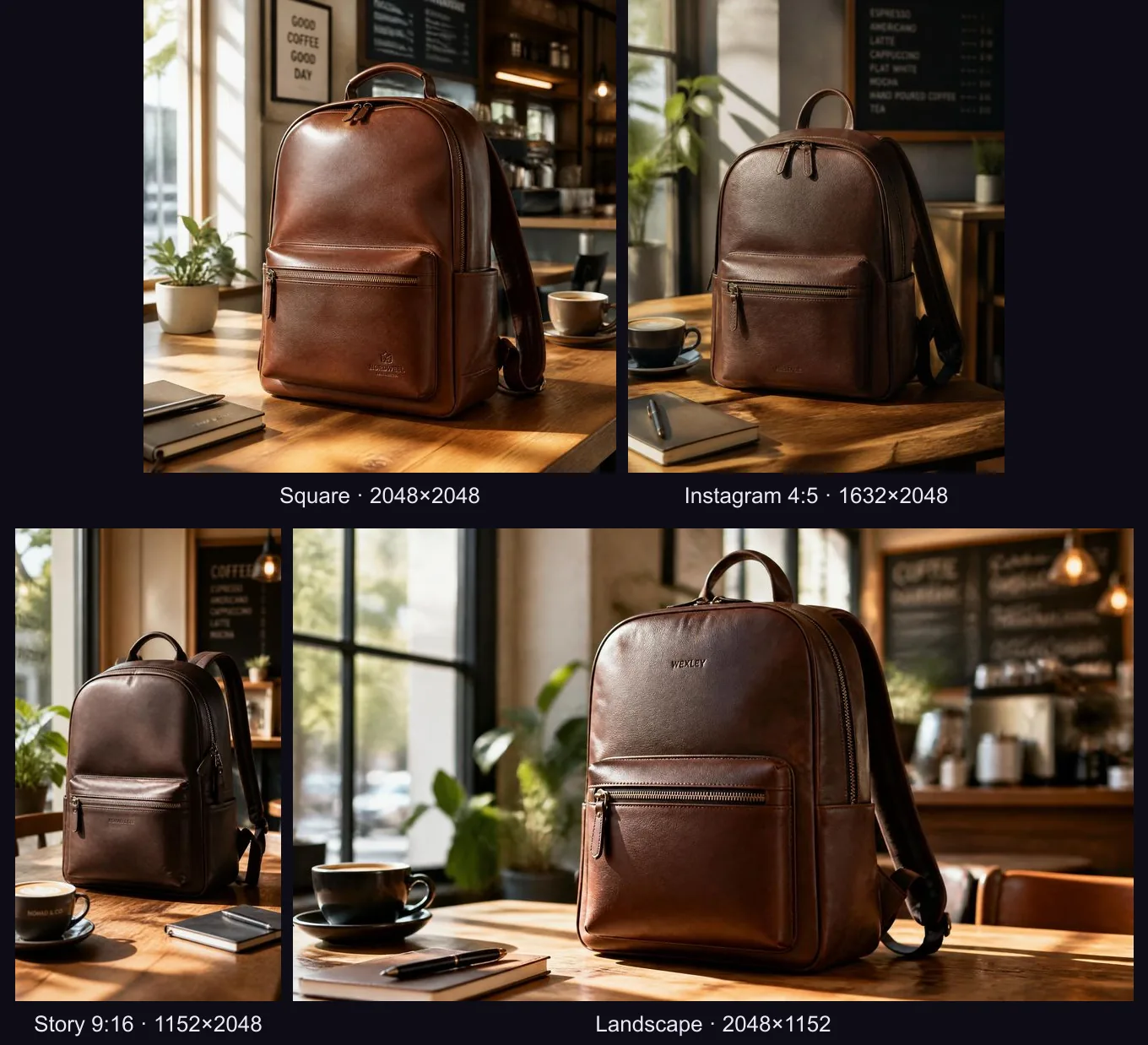
Grok Imagine now outputs 2K, in your shape. On the Advanced generator, Grok Imagine works per image, not per pixel — so it now always renders at 2K. Fixing it also uncovered a bug: Grok had been ignoring the chosen shape and returning a square every time. That's fixed too.
Imagen 4 → MAI Image 2.5. Old links and saved recipes that pointed to Imagen 4 now open MAI Image 2.5 automatically, at the same 10 credits.
Describe a photo straight into your prompt. On the Automatic page you can now drop any image onto the prompt box (or tap the image icon, once signed in) and Oranokai writes the scene description for you — the same feature the Advanced page already had.
And on the video side: first frame to last frame
Google's Veo 3.1 Lite launched in March, but its most useful trick for sellers is underrated: give it a first frame and a last frame, and it animates the journey between them. Your everyday product photo can become the opening shot, and a polished studio render the closing one.
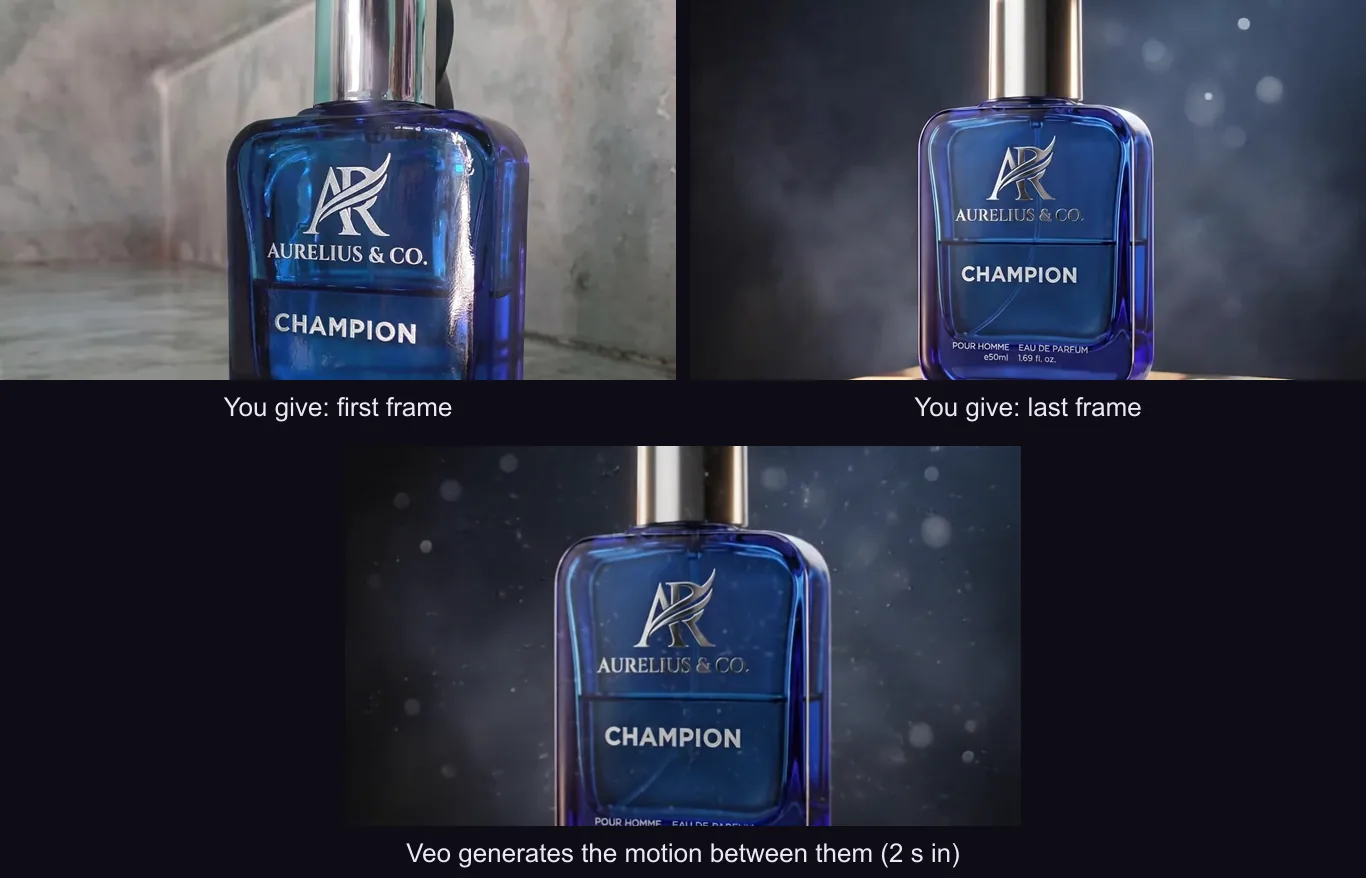
It's now on the Oranokai video page. The first frame is required; the last frame is optional — leave it out and Veo simply animates your photo. Pick 4, 6 or 8 seconds, 720p or 1080p, with or without generated audio.
What to do with this
- Don't be fooled by "HD". If a tool charges much more for 2K than for 1K, ask why.
- Spend on quality, not pixels. Where you do want more, choose detail (texture, small text), not resolution.
- Check your exported shape. A 4:5 Instagram post that comes back square loses you the extra feed height you were designing for.
- Treat model names as temporary. Imagen 4 was a flagship two seasons ago. Choose tools that swap models for you — and say so when they do.
We'll keep auditing the models behind Oranokai as they change. If 4K becomes the default next, you'll read about it here first.